POS app for shops, minimarkets & grocery stores.
Built for corner stores, staple-goods shops, minimarkets, and retail stores. Scan barcodes straight into the cart, manage large catalogs with per-item codes, track stock & reports, and accept QRIS & cash — online or offline.
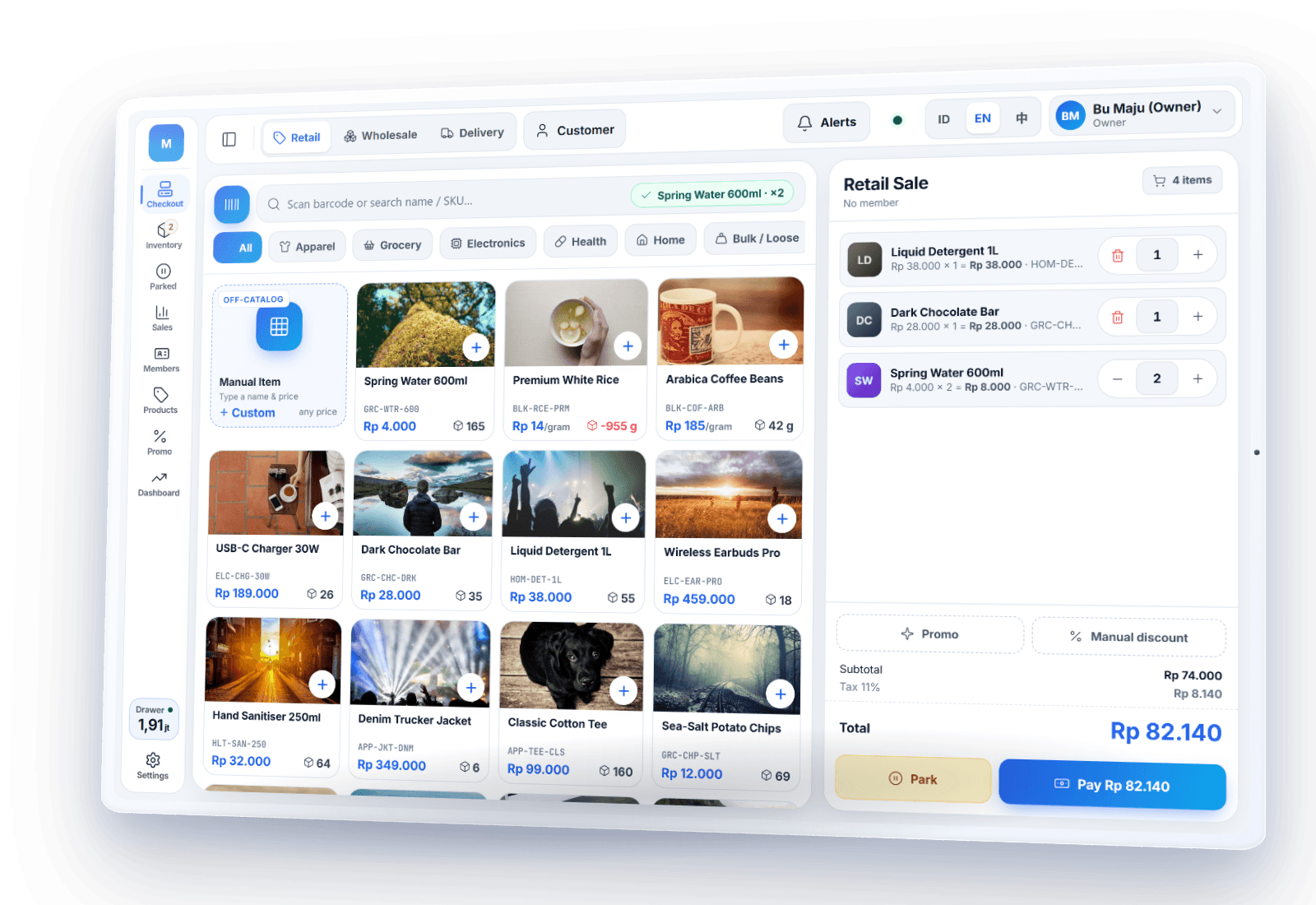
For shops with lots of products
Corner Stores
Hundreds of products, fast sales.
Staple-Goods Stores
Wholesale & retail pricing.
Minimarkets
Large catalogs, stock under control.
Retail Stores
Fashion, electronics (serial/IMEI), and more.
Scan a barcode, straight into the cart
Plug in a USB or Bluetooth barcode scanner and products drop into the cart as you scan. Every item carries its own SKU/barcode, with categories, variants, and wholesale & retail prices — tidy even for large catalogs.
- ✓USB & Bluetooth barcode scanners
- ✓SKU/barcode, categories, and variants per item
- ✓Wholesale & retail (grosir/eceran) prices; serial/IMEI tracking (retail tablet)
- ✓Print barcode price labels for the shelves
- ✓Park a sale and serve the next customer
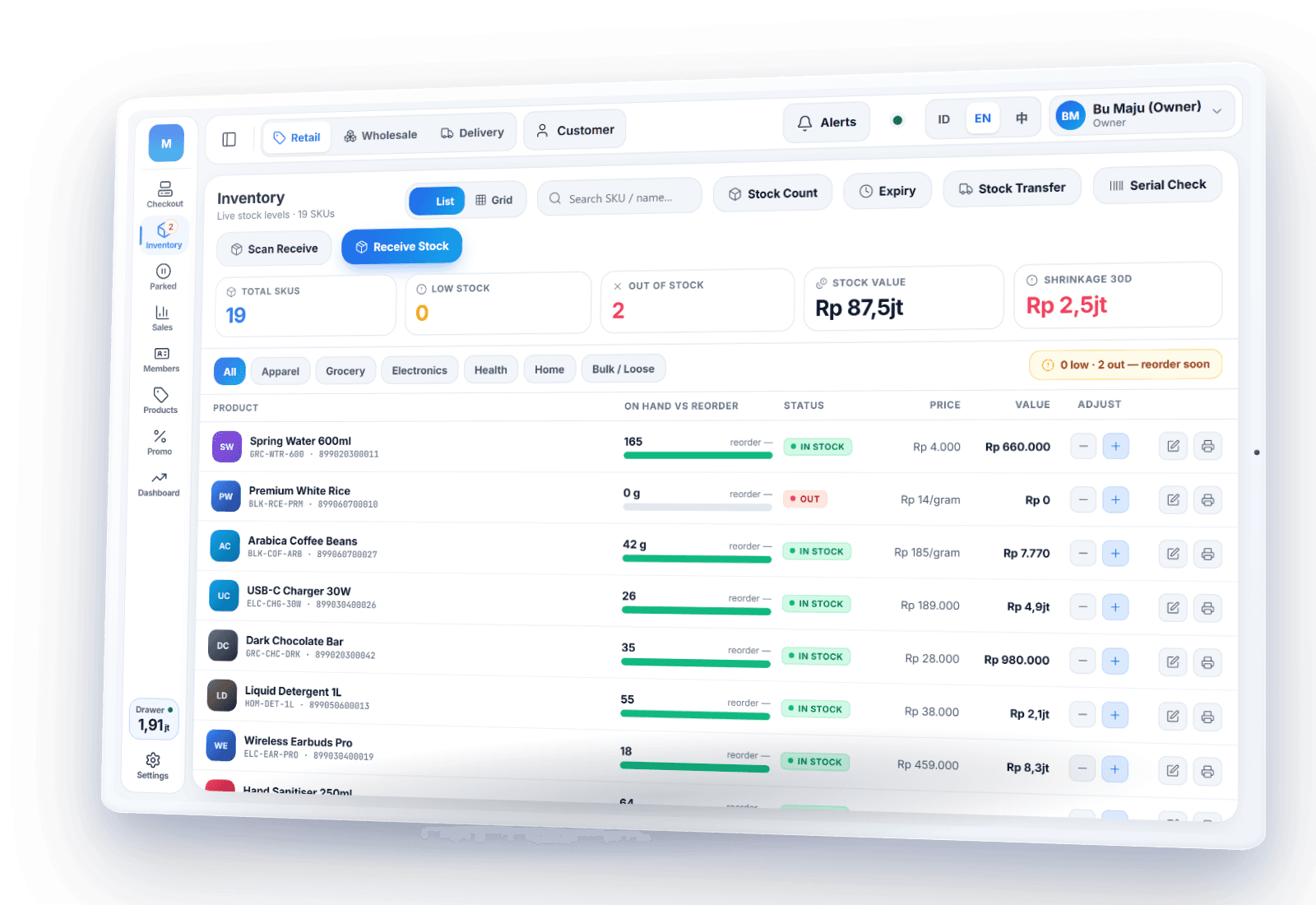
Stock updated automatically with every sale
Every sale deducts stock right away. Run stock counts, adjustments, and transfers between outlets, with a warning when stock runs low. Sales, margins, best sellers, and stock shrinkage are all in your reports.
- ✓Stock counts, adjustments, transfers between outlets, and a shrinkage report
- ✓Batches & expiry dates: the soonest-to-expire sells first (FEFO)
- ✓Low-stock warnings; purchase orders to suppliers, generated automatically from reorder levels
- ✓Receive supplier deliveries by scanning; consignment goods
- ✓Sales dashboard, best sellers, end-of-shift reports & data export
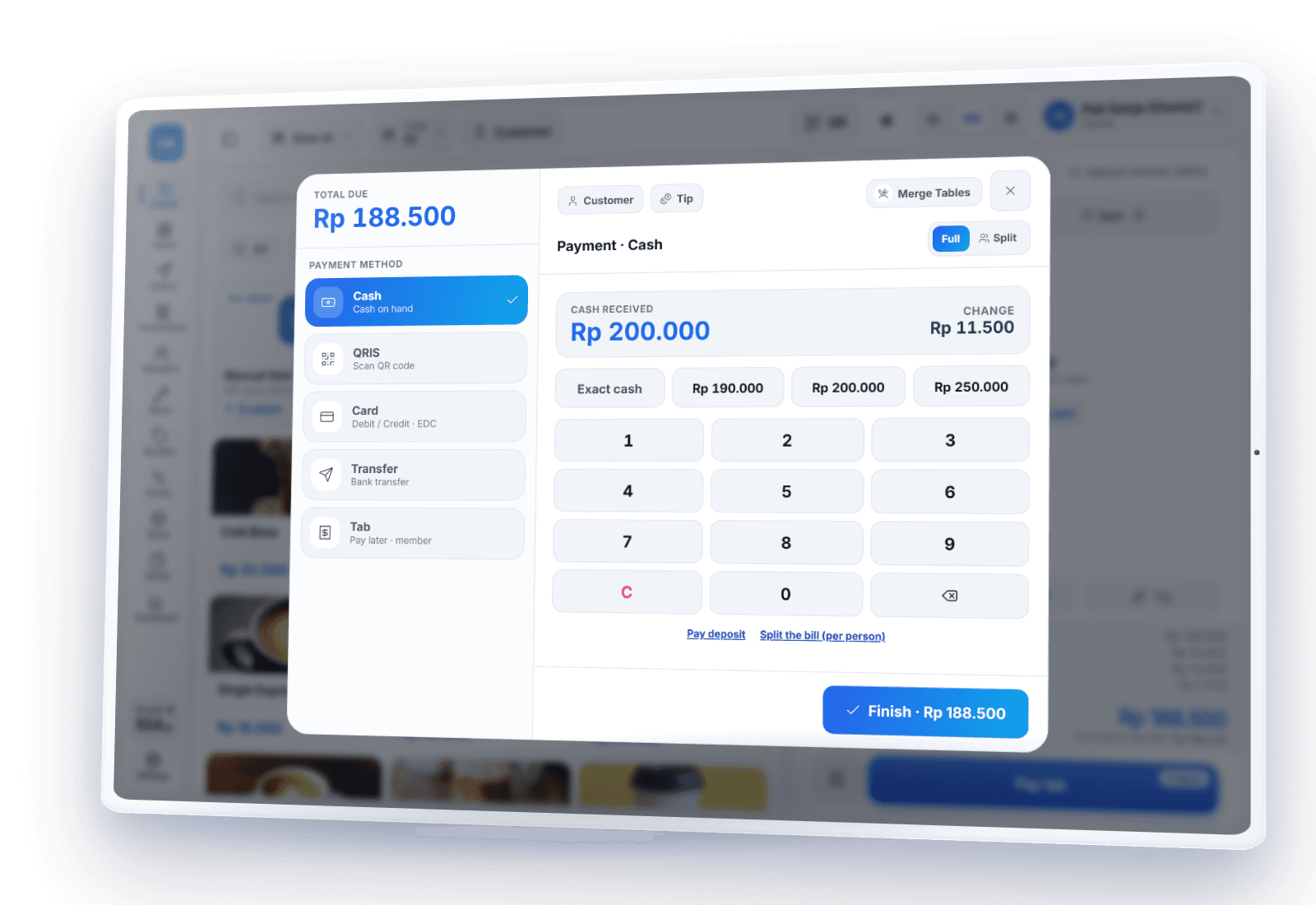
Accept QRIS, cards & cash
Accept QRIS, e-wallets, cards (EDC) and transfers — the cashier records each one once the money lands in your account or EDC terminal. PIKaPOS never stores card data. Non-cash payments need internet; cash and static QRIS keep working even when the internet is down.
- ✓QRIS, e-wallets, cards & transfers
- ✓Cash & static QRIS with no connection
- ✓A PIN per staff member; refunds, voids, manual discounts and cash-outs need a manager's PIN
- ✓Activity log: who did what, and who approved it
Your shop stays open when the internet goes down
A lost signal is no reason to close the register. Keep scanning, selling, printing receipts, and accepting cash; transactions are stored safely on the device until they sync automatically once you're online.
Learn about offline POS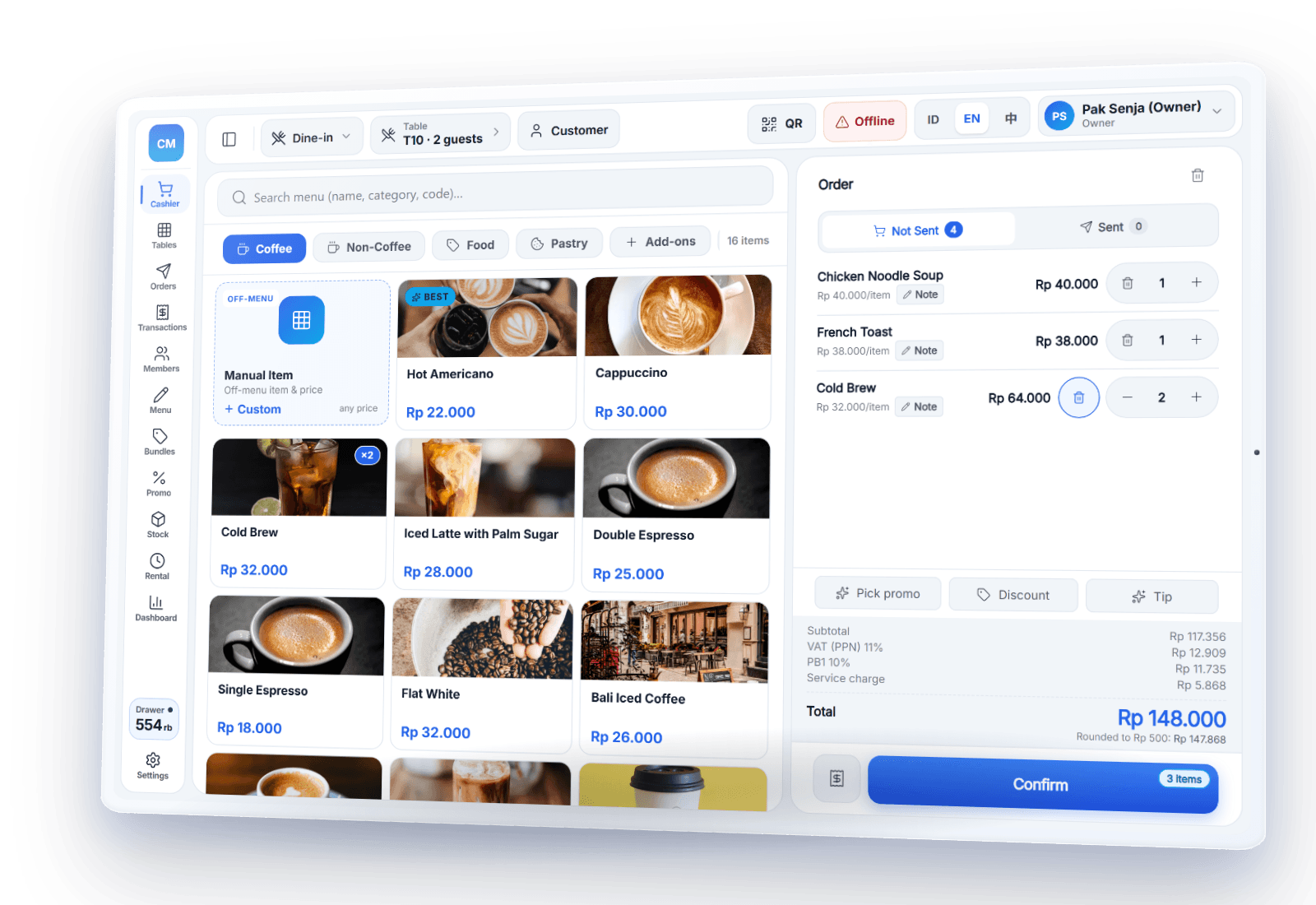
Free for one shop, Pro and Bisnis as you grow
Barcode scanning, stock, price labels, wholesale prices and offline mode are in the free Gratis plan for 1 outlet, with no credit card and no contract. More outlets come with Pro; combined reports and stock transfer between outlets with Bisnis.