The POS app for restaurants & cafes — fast, offline, with QRIS.
Built for restaurants, cafes, coffee shops, and local eateries (warung makan). Manage tables & orders, let tax calculate itself, accept QRIS and cash, and keep selling even when the internet goes down.
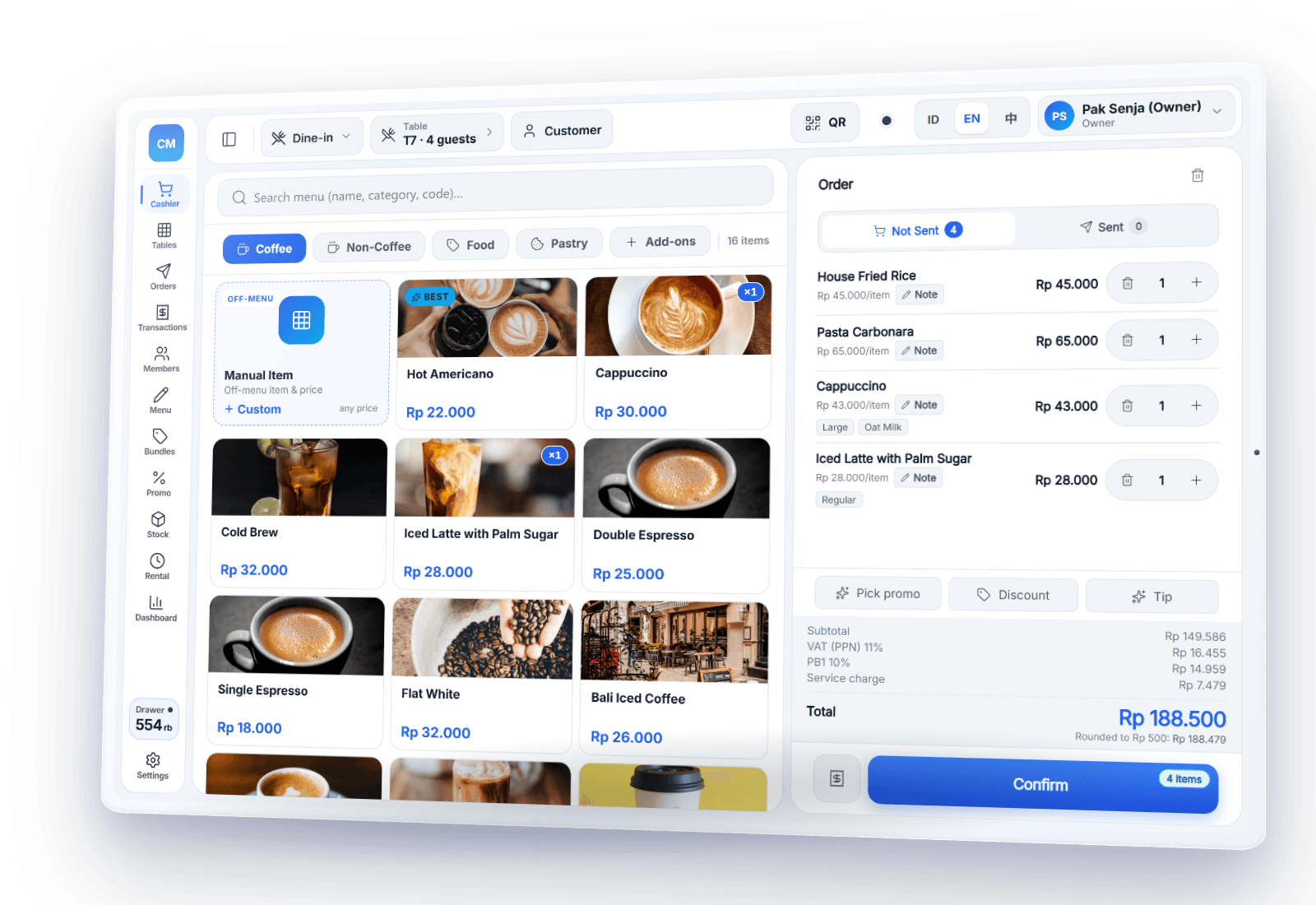
Built for busy kitchens & dining rooms
Restaurants
Tables, dine-in, takeaway, delivery.
Cafes
Short queues, customizable orders.
Coffee Shops
Choice of milk, sugar, and size.
Local Eateries
Fast, simple, works offline.
Tables & orders without the hassle
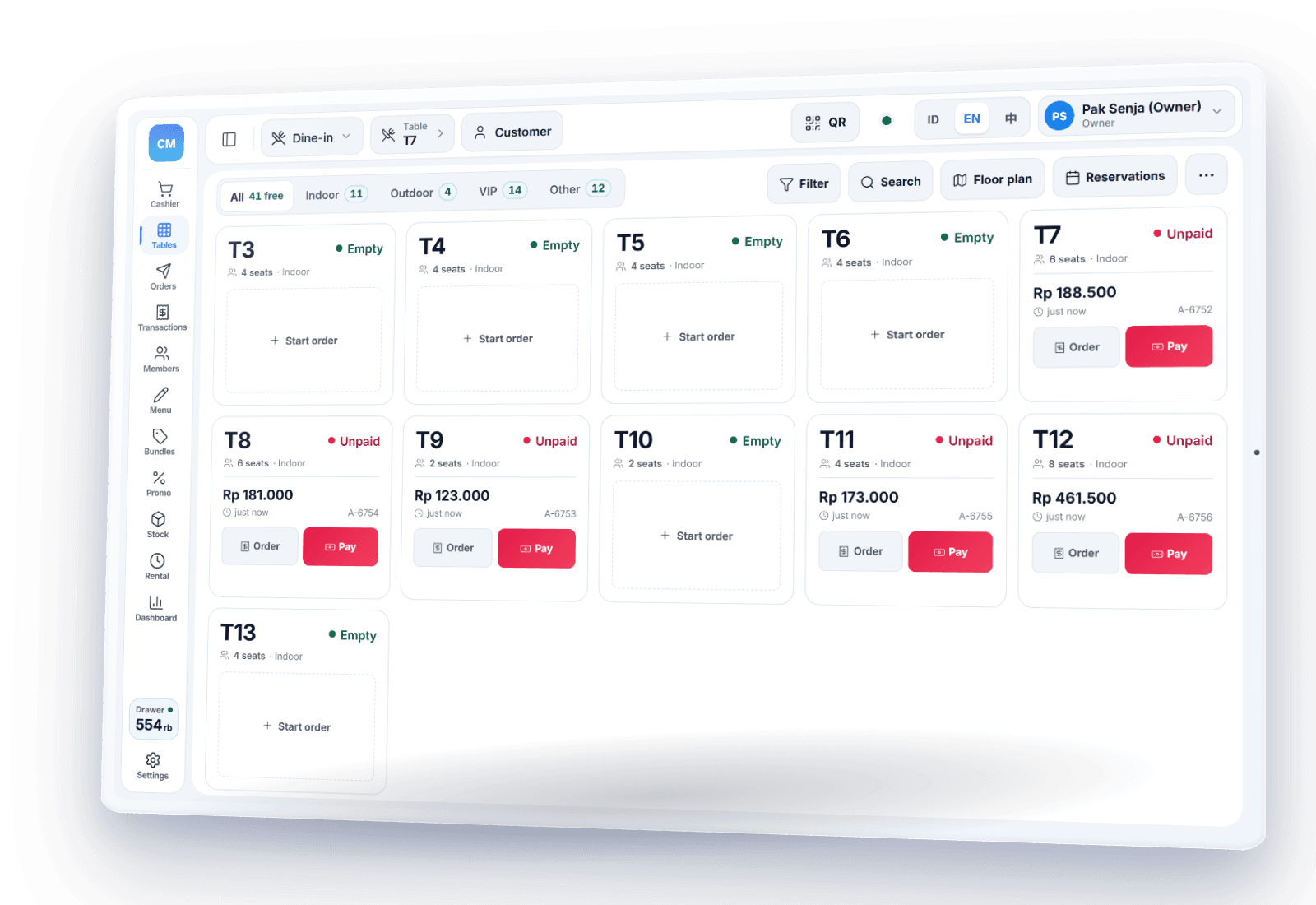
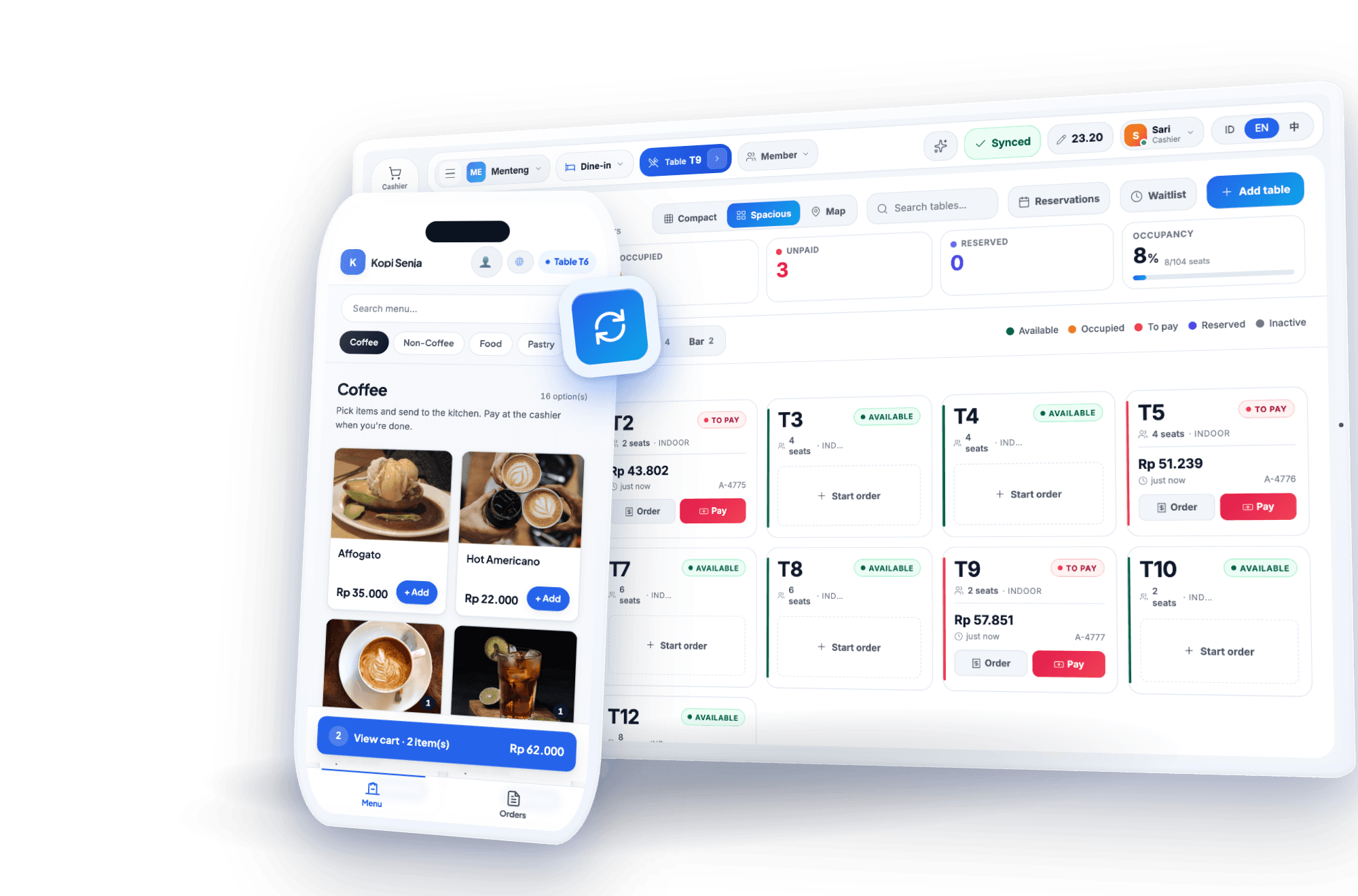
Open a table, add orders, merge or move tables, and keep the tab open until guests are done. Orders print as kitchen tickets on a thermal printer — clear, with no handwriting mix-ups.
- ✓Dine-in, takeaway, delivery, plus reservations and a guest waitlist
- ✓Menu options: milk, sugar, spice level, size
- ✓Kitchen tickets split by station (drinks bar, kitchen), with allergy flags printed on them
- ✓Waiters take orders on their own phones via a waiter QR card
- ✓Split the bill evenly, deposits (DP), service charge, and tips
Tax calculated automatically, your way
Set up PB1 (restaurant tax), PPN (VAT), and service charge to match your business, and PIKaPOS calculates them per item — rounding included — and itemizes them on the receipt.
- ✓Automatic PB1, PPN & service charge
- ✓Clear tax breakdown on every receipt
- ✓e-Faktur for VAT-registered (PKP) businesses: an XML file to upload to Coretax DJP
- ✓Recipes per menu item: ingredients are deducted on every sale, plus a margin report per item (work out your costs with the food cost calculator — in Indonesian)
Nasi Goreng Spesial1 x Rp 45.000Rp 45.000Es Kopi Susu Aren2 x Rp 27.500Rp 55.000SubtotalRp 100.000ServiceRp 5.000PB1 10%Rp 10.500TOTALRp 115.500QRISRp 115.500Thank you · enjoy your mealPowered by PIKaPOS
Accept QRIS, e-wallets & cards
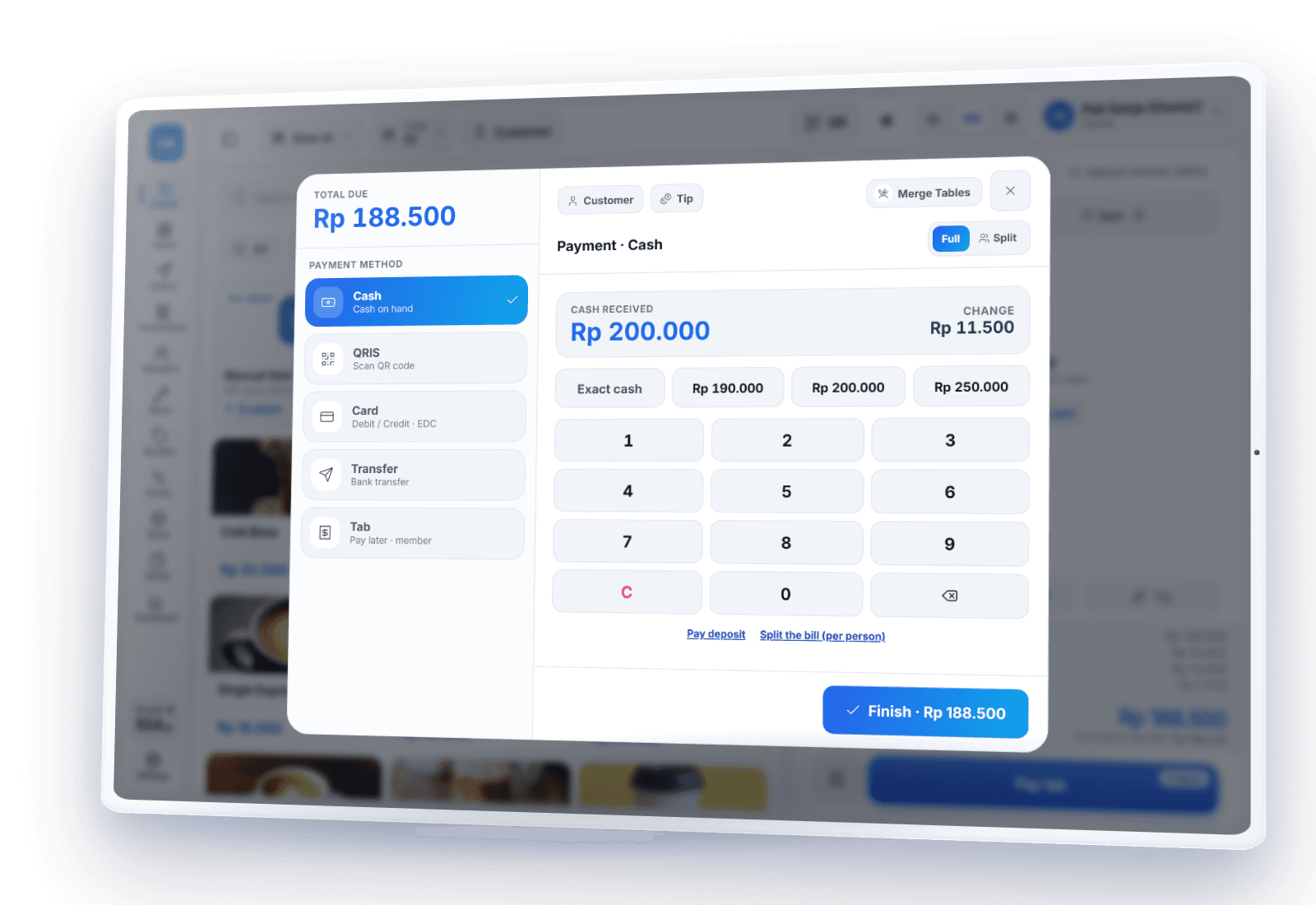
Accept QRIS, e-wallets, cards (EDC) and transfers — the cashier records each one once the money lands in your account or EDC terminal. PIKaPOS never stores card data. Non-cash payments need internet; cash and static QRIS (your printed shop QR code) can still be recorded offline.
- ✓Cash, QRIS, e-wallets, cards & transfers in one flow
- ✓Cash and static QRIS work offline
- ✓A PIN per staff member; refunds, voids, manual discounts and cash-outs need a manager's PIN
- ✓Activity log: who did what, and who approved it
Keeps running when the internet drops
Lunch rush and the signal drops? The POS keeps taking orders, printing receipts and kitchen tickets, and accepting cash. Everything syncs automatically once you're back online.
Learn about offline POS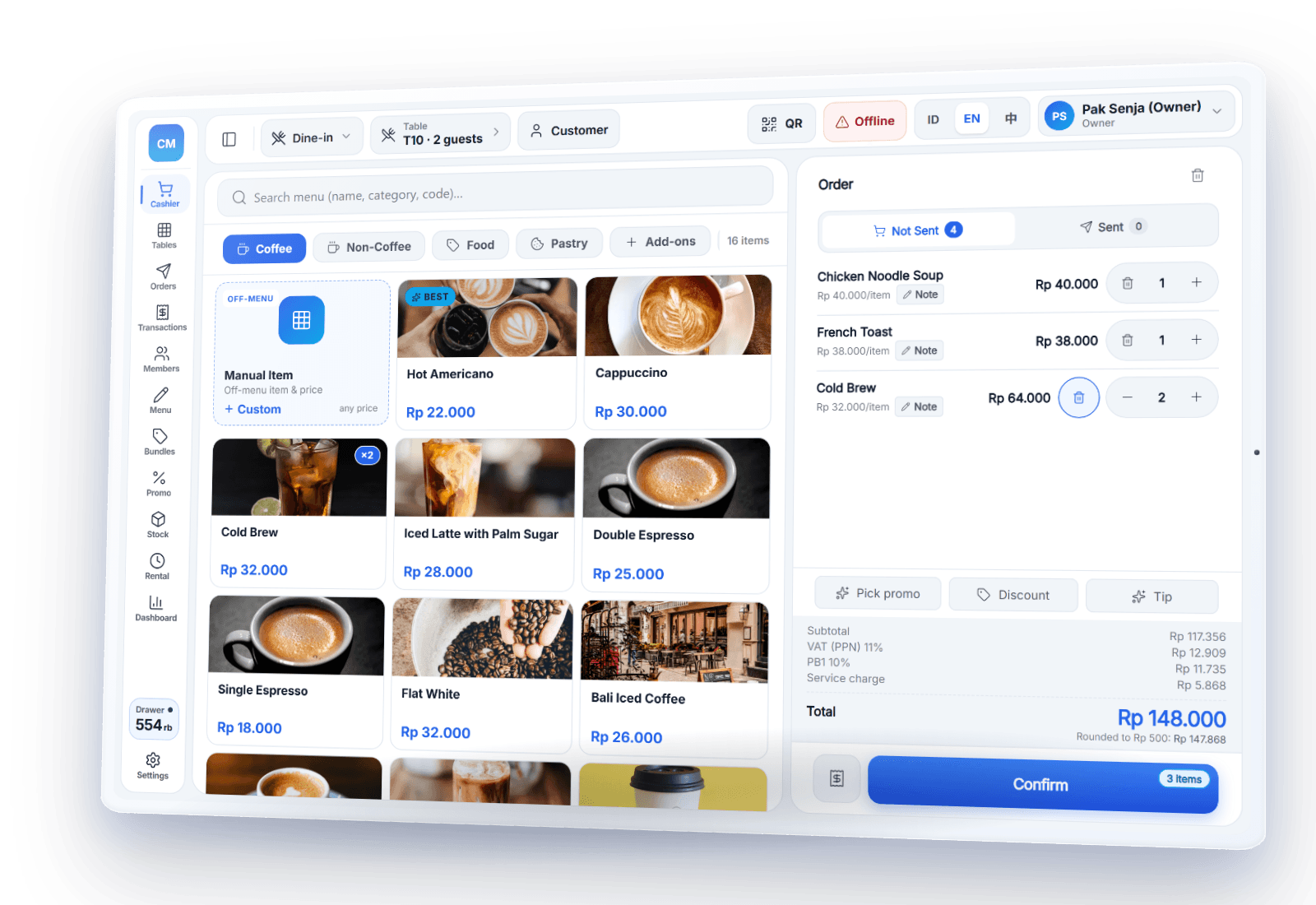
Self-ordering with a QR menu
Guests scan the QR code on the table, browse a photo menu, and send their order from their phone; payment still happens at the counter. Shorter lines and faster table turns at peak hours.
- ✓QR menu in 3 languages with a halal filter
- ✓QR orders land on the POS and can print straight to the kitchen (auto-print can be switched on)
- ✓Optional: kitchen display (KDS) in the browser
- ✓Kitchen Mode: an Android tablet in the kitchen becomes the order board — by status, a timer per order, a station filter — and can print kitchen tickets itself
Free for 1 outlet
Tables, automatic tax, the QR menu, Kitchen Mode, reports, and offline mode are all in the free Gratis plan. Member points, recipes and more outlets come with Pro and Bisnis. PIKaPOS charges no per-transaction fee; digital payments carry the payment provider's MDR fee.
Frequently asked questions
Can PIKaPOS calculate tax automatically?+
How do orders reach the kitchen?+
Can the restaurant POS work without internet?+
Can customers order from their own phones?+
How much does PIKaPOS cost?+
Try the restaurant POS for free
Sign up in minutes. No credit card required.