Your first sale
Open the shift, enter the order, take payment. Follow it once from top to bottom and you'll know it by heart.
Open the shift
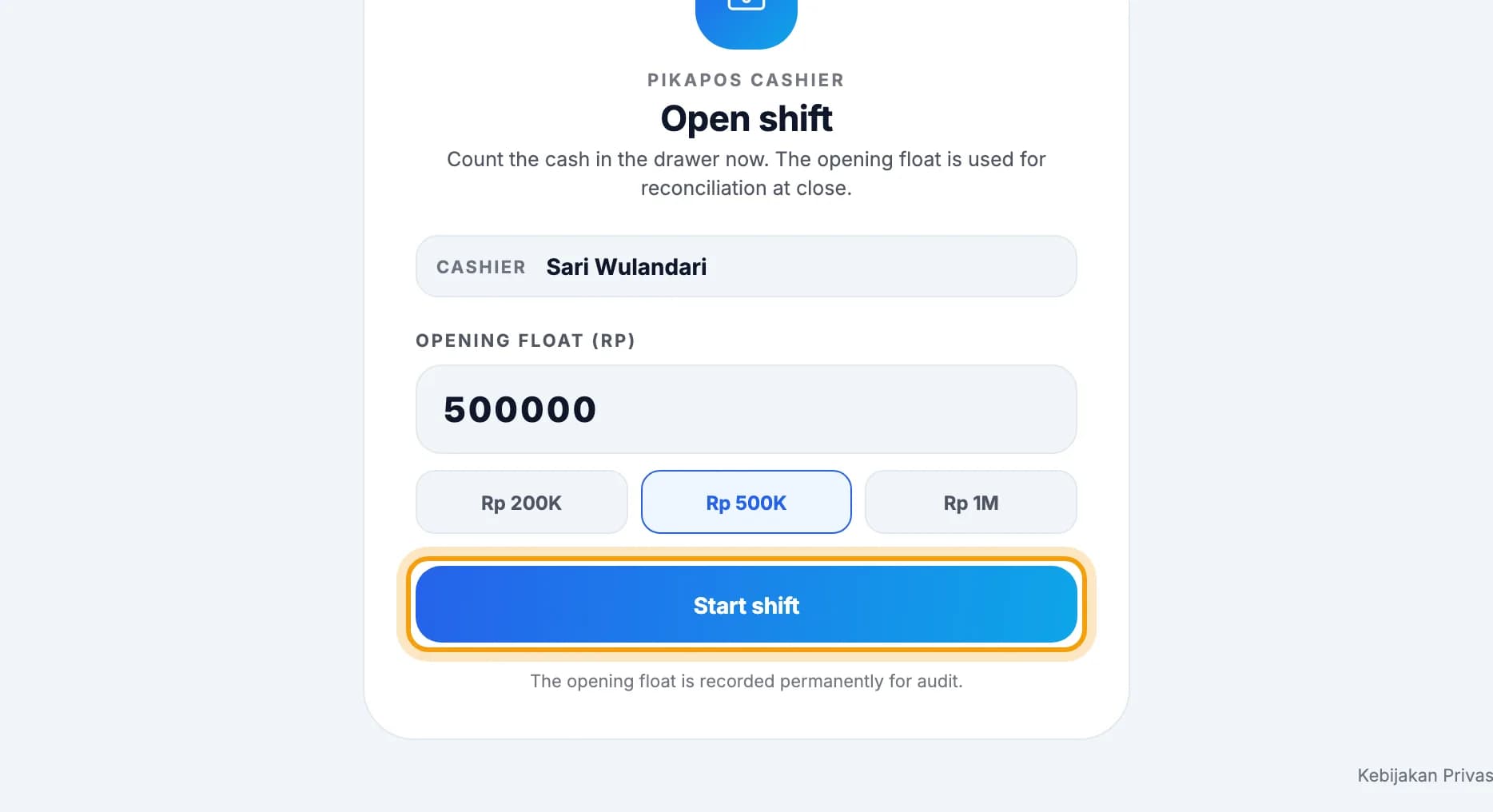
Count the cash in the drawer, pick the opening float, then tap Start shift.This screen appears once at the start of the day, after the cashier enters their PIN.
Enter the order
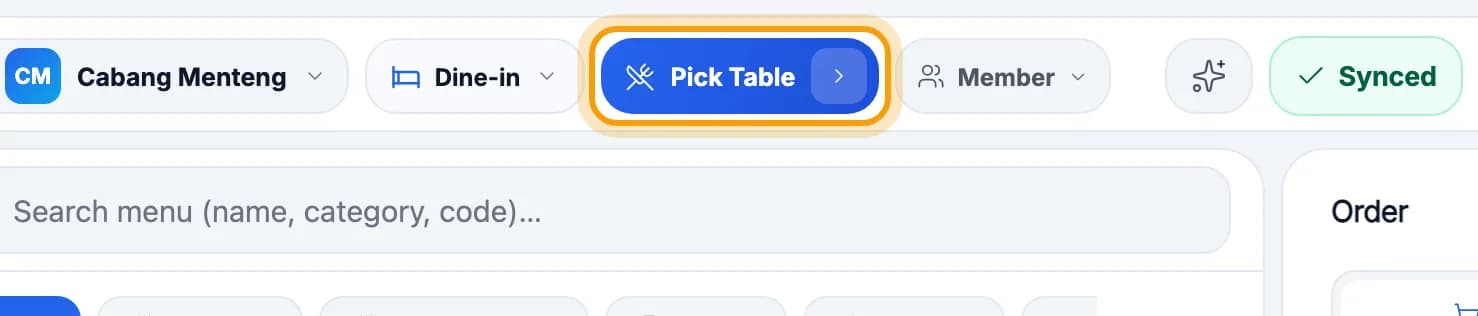
Tap Pick Table in the top bar.Takeaway? Tap Dine-in, switch to Takeaway, then skip to step 5.
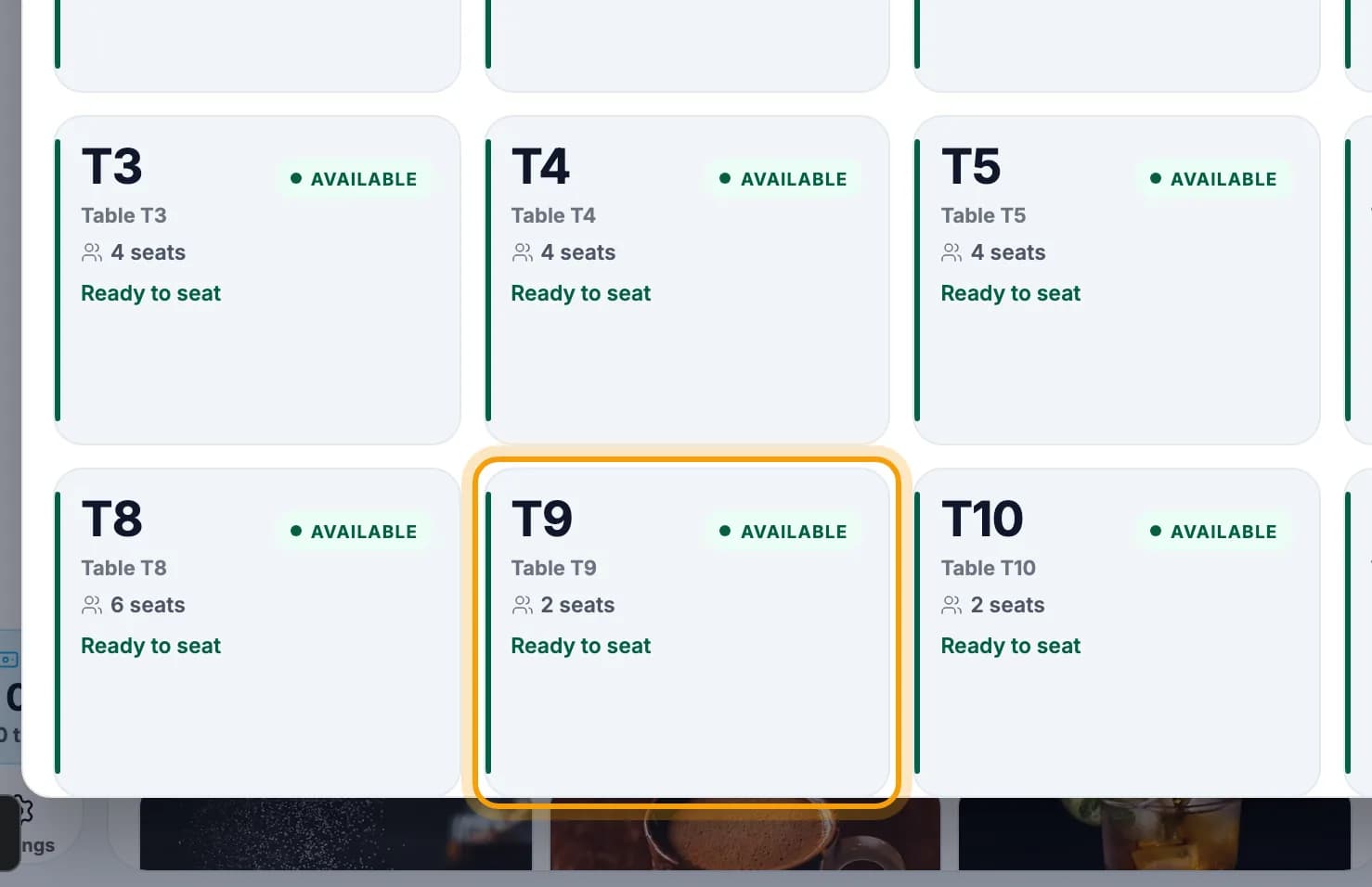
Tap the guest's table.Tables marked AVAILABLE are free.
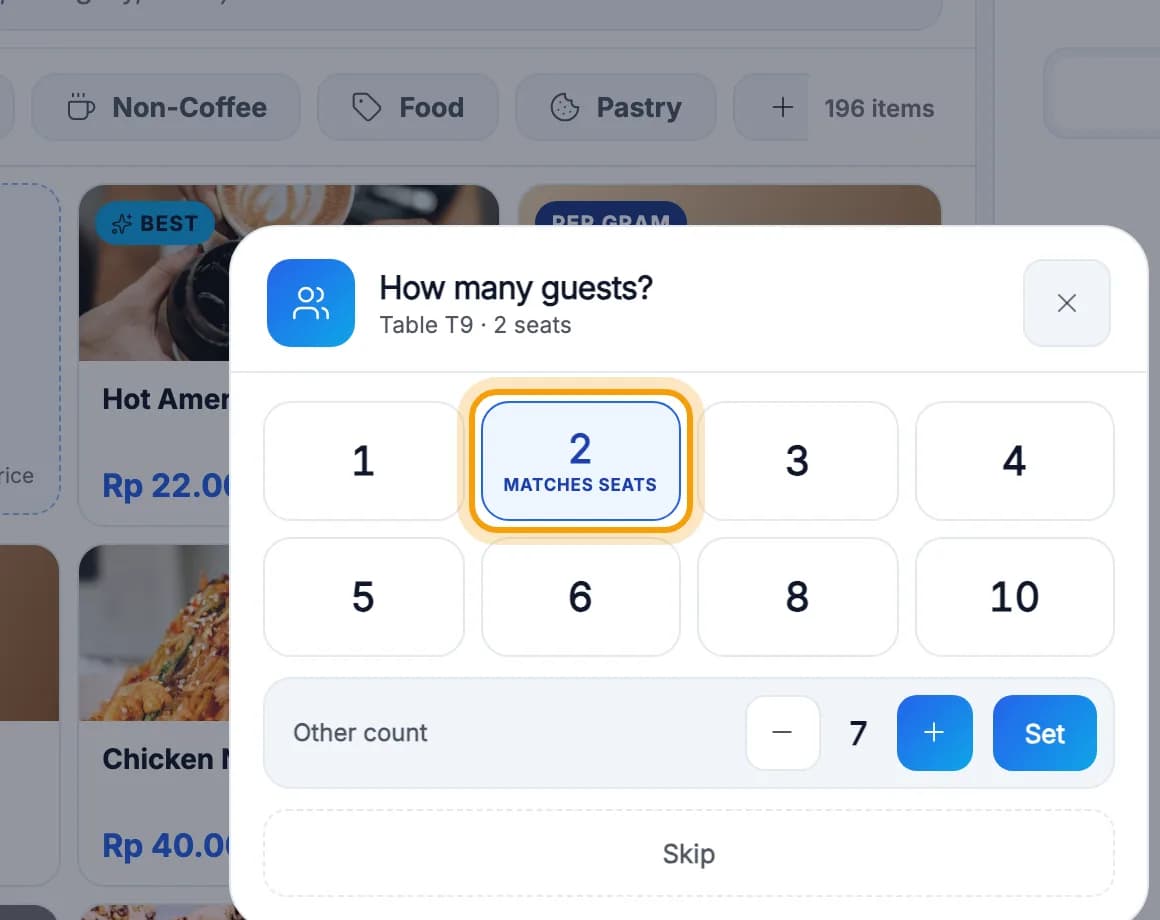
Pick the number of guests.Don't need it? Tap Skip.
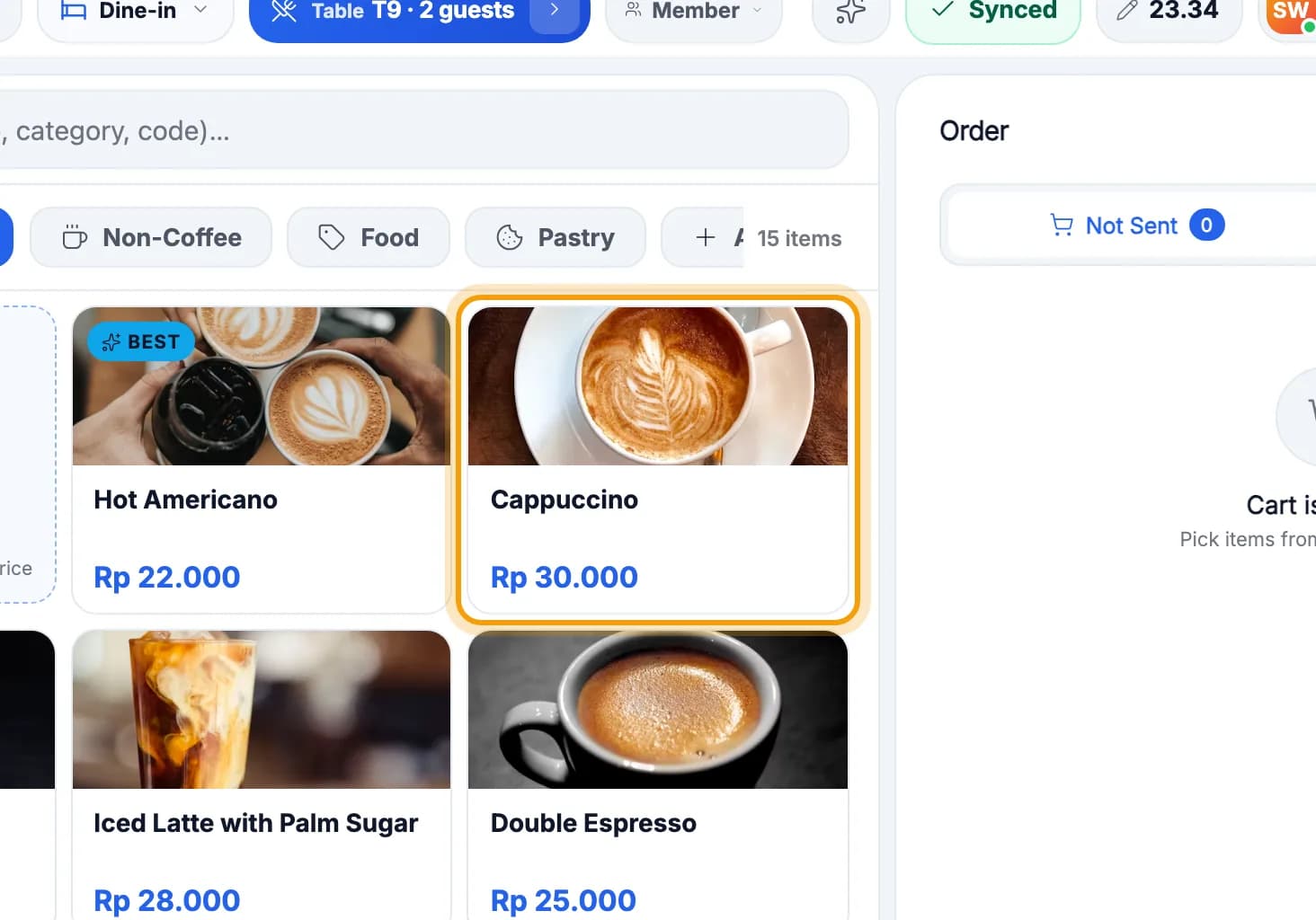
Tap the item ordered.Search with the Search menu box, or tap a category.
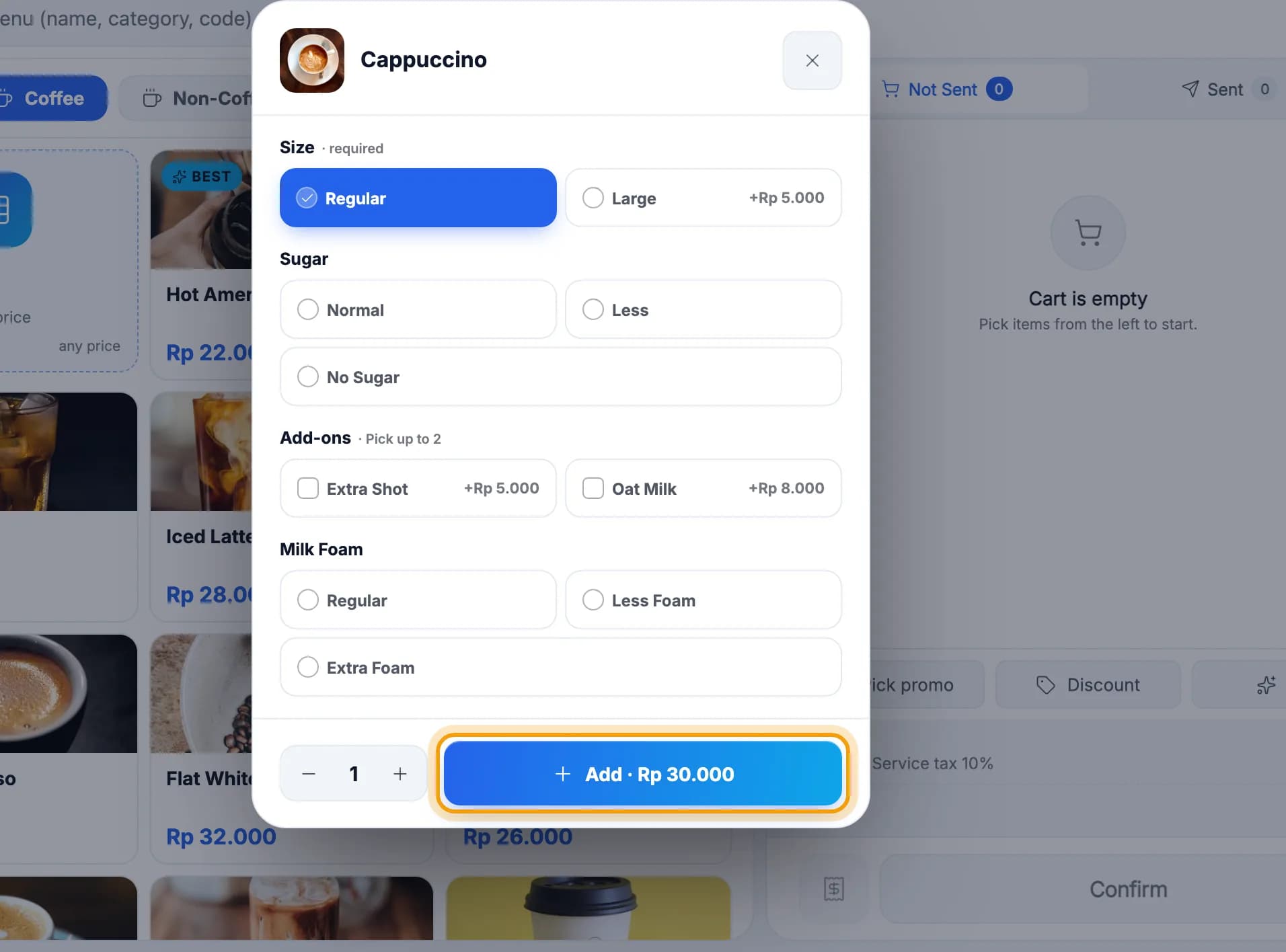
Choose the size or extras, then tap Add.Options marked required must be chosen.
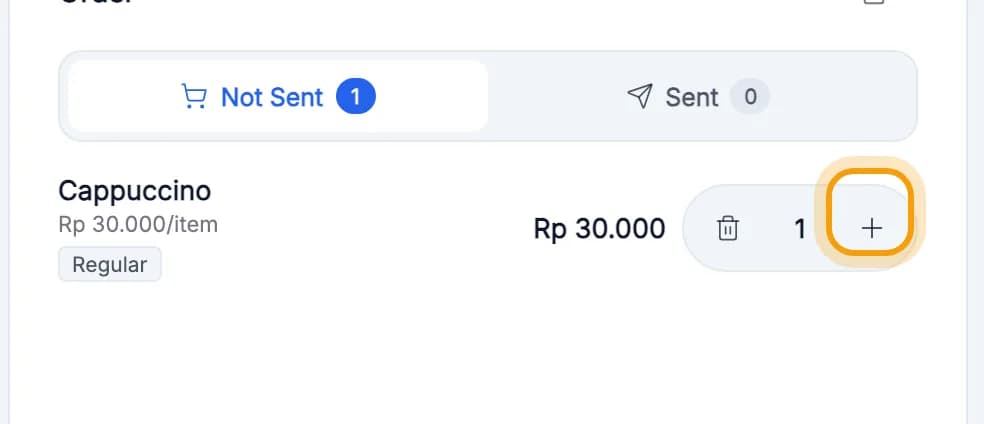
More than one? Tap + in the Order column.
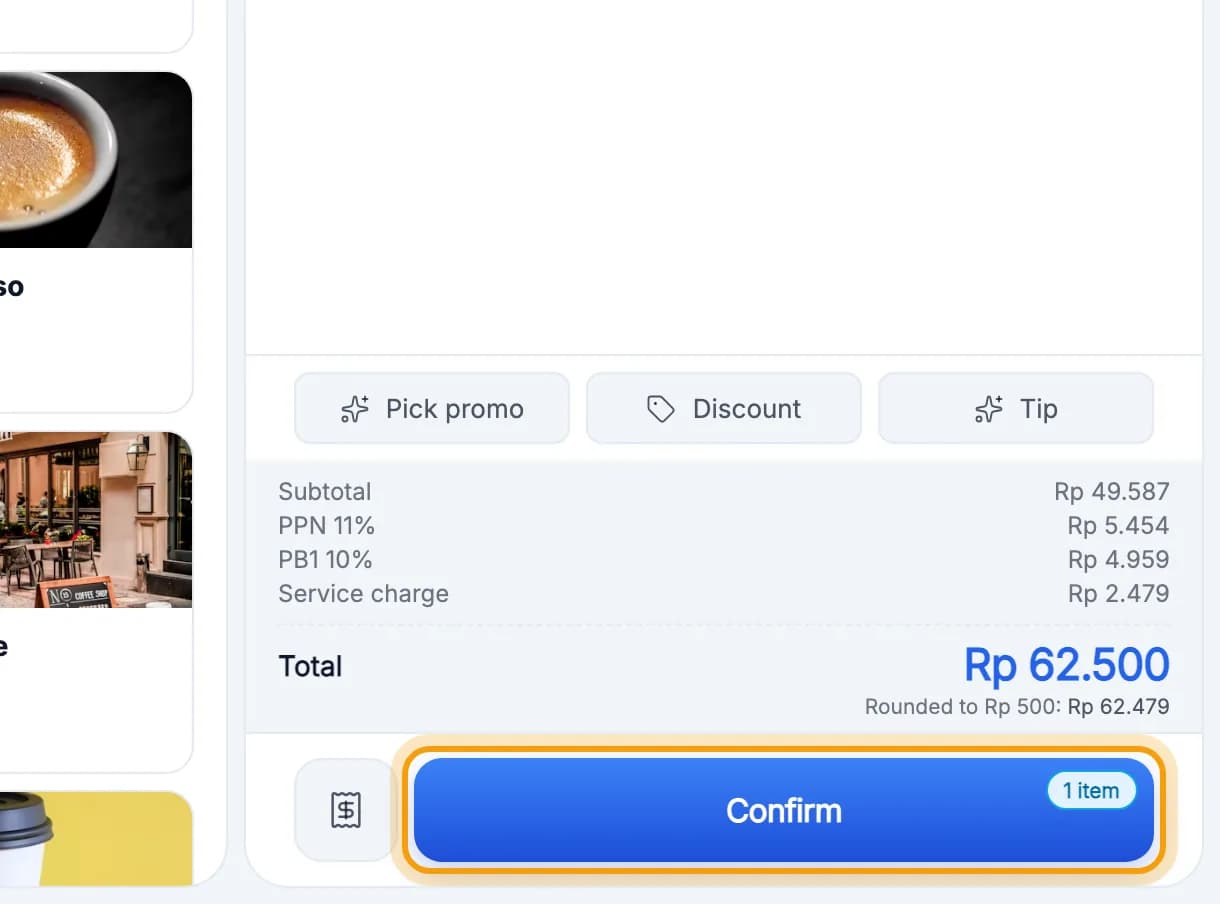
Tap Confirm. The order goes to the kitchen.
Tip: Item not on the menu? Tap the Manual Item card at the top left of the menu, then type its name and price.
Take payment
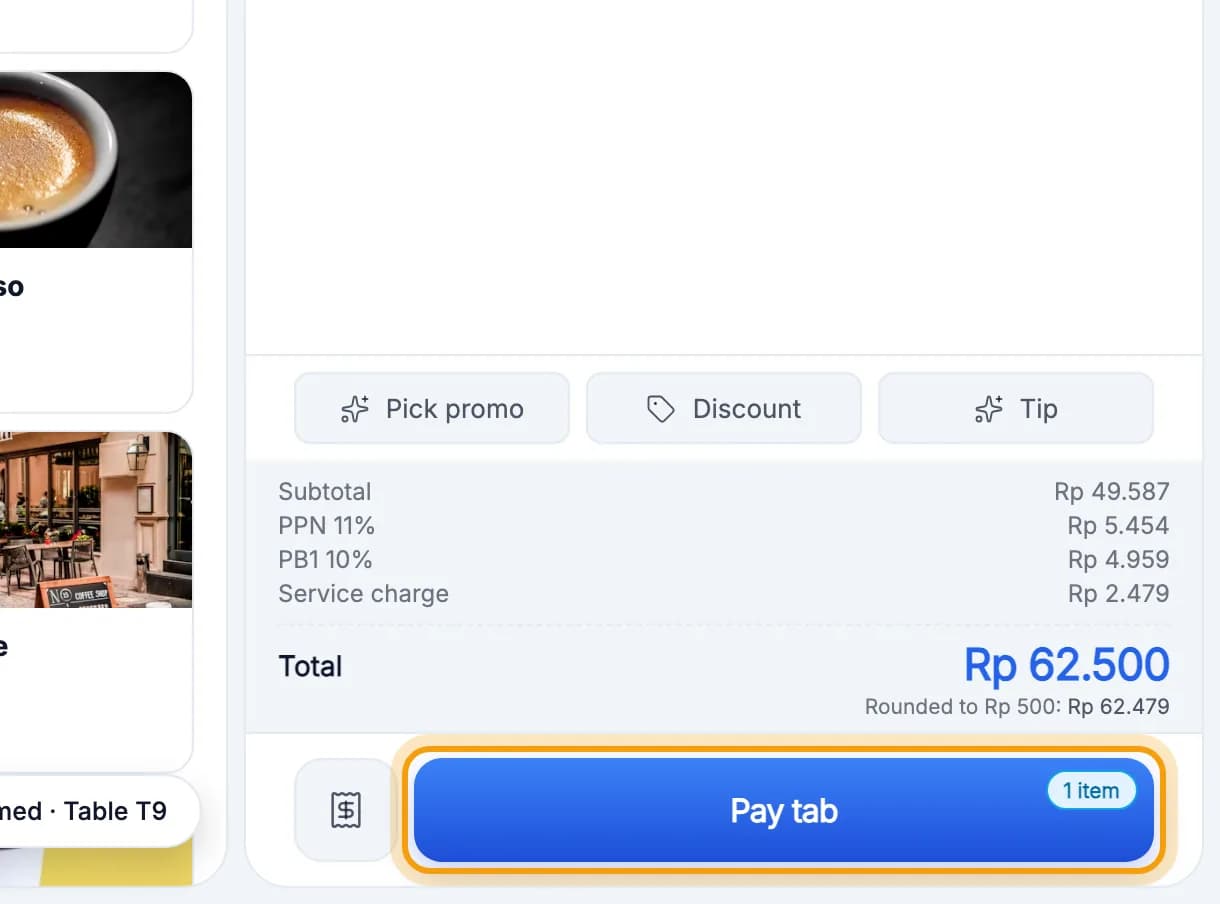
Guest ready to pay? Tap Pay tab.
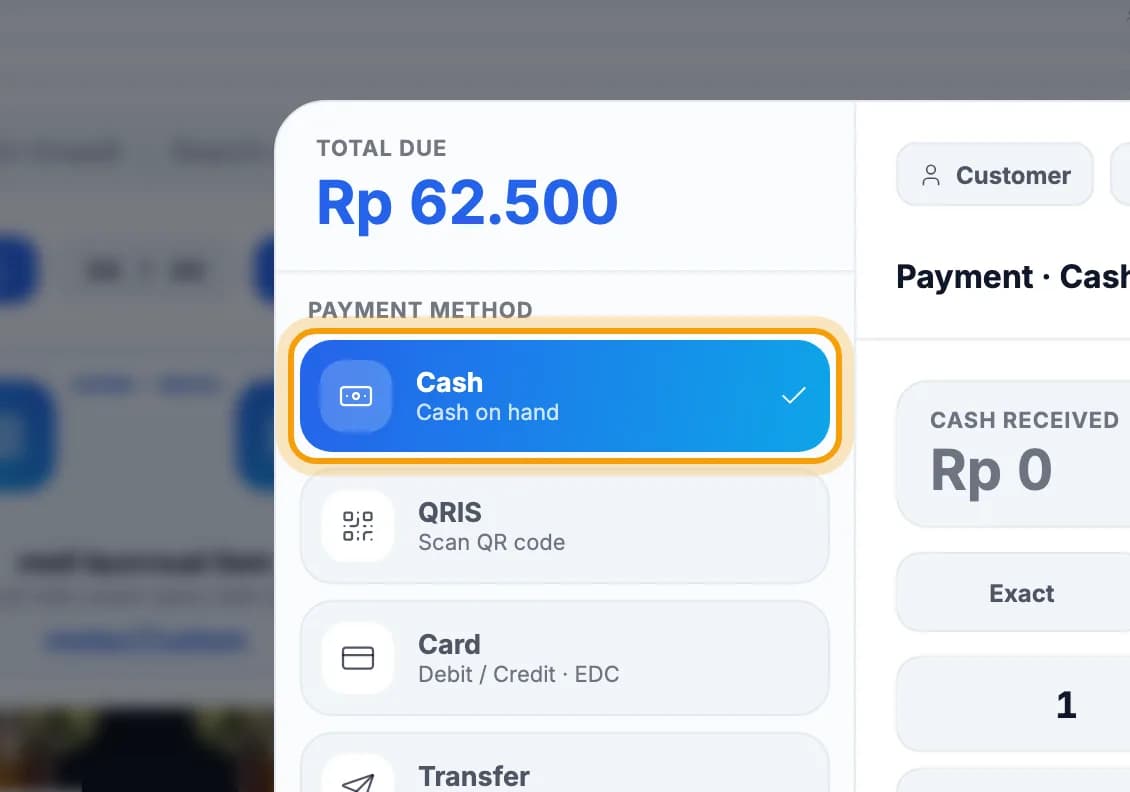
Choose how they pay, for example Cash.QRIS, Card and Transfer are below it. See Payments.
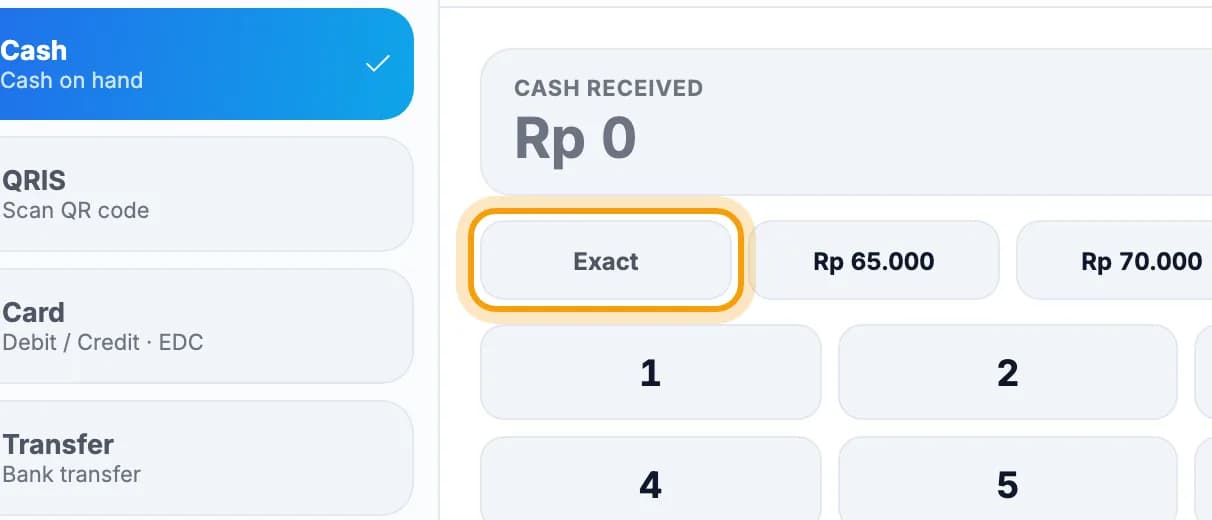
Tap Exact, or the amount the guest handed over.Change is worked out for you.
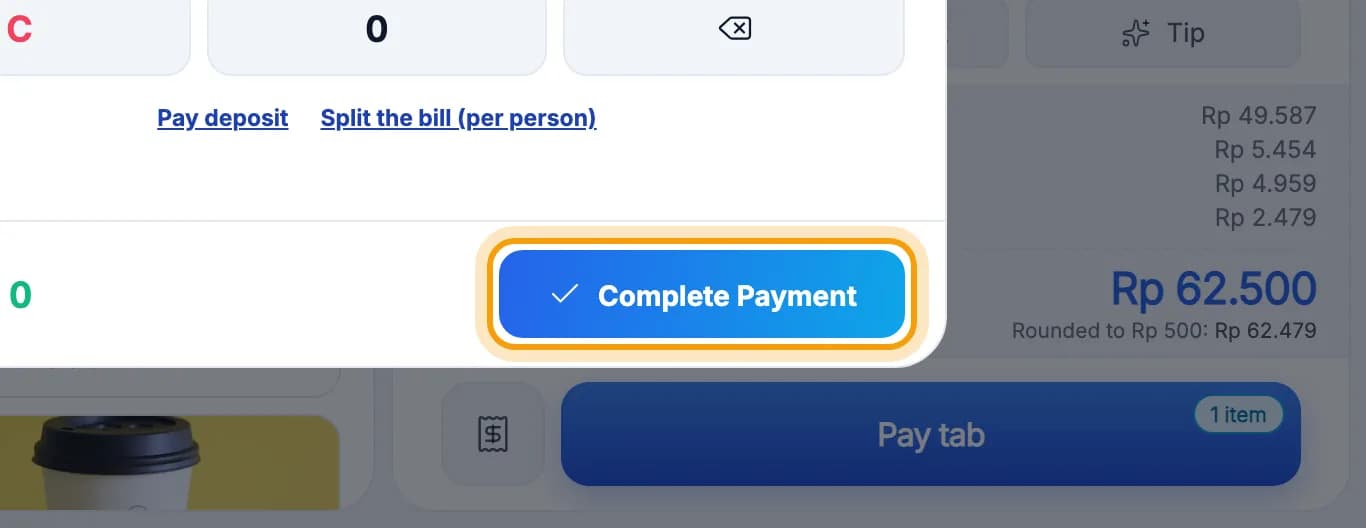
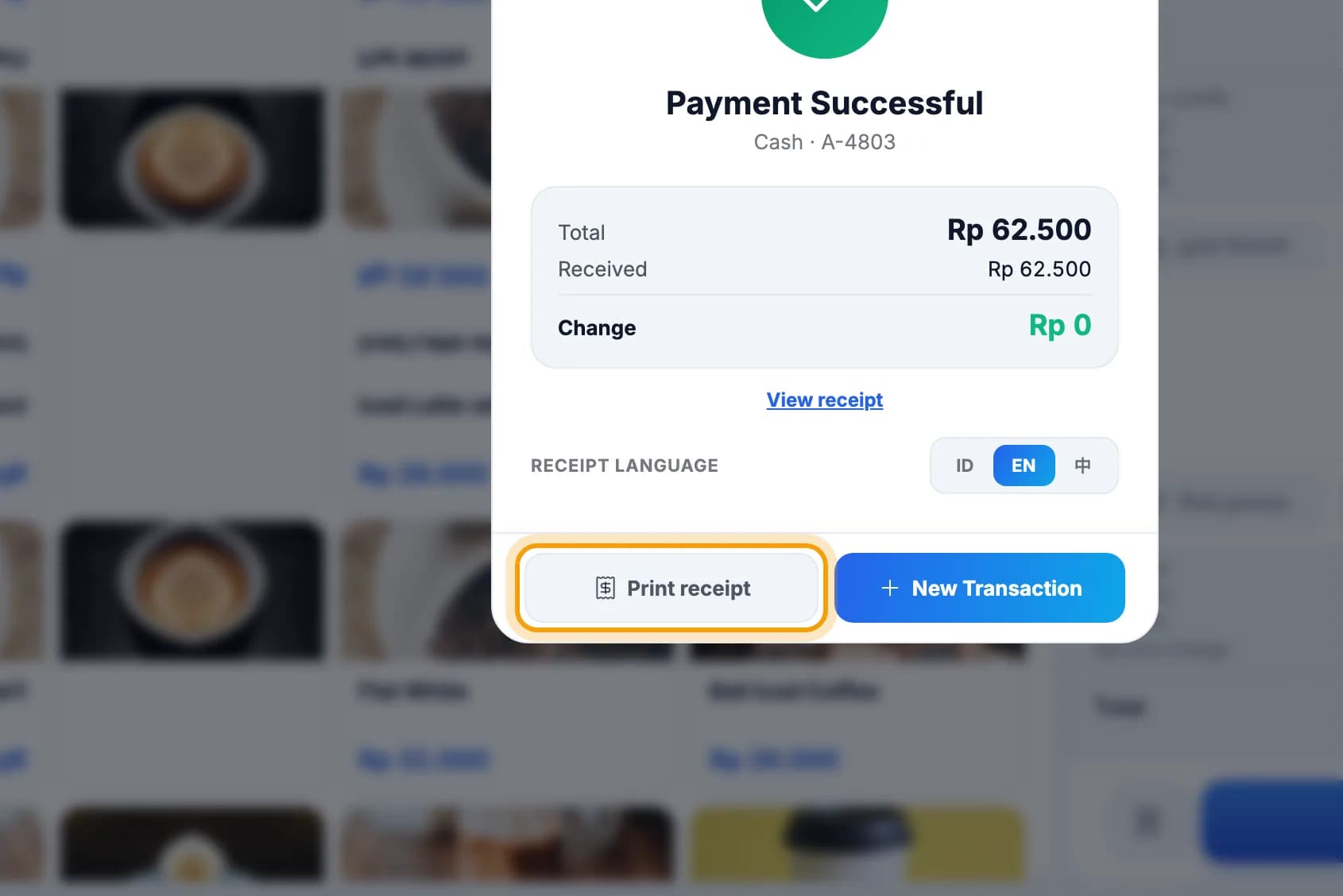
Tap Complete Payment.
Tap Print receipt, then New Transaction for the next guest.No printer yet? See Printer & kitchen.
Note: QRIS, card and transfer are only recorded, not charged by the app. The guest pays to your own QRIS or card terminal. Check the money has arrived before you complete the payment.
Done.
Bookmark this page, or send a section's link to your staff.